
Teach Your AI Agents with Lessons
Lessons give an AI coding agent a memory of past mistakes. The agent reads that memory before it touches anything, and writes to it after something goes wrong — so the same mistake doesn’t happen twice, in any tool.
That memory is a single git-tracked file: .agentsmesh/lessons/lessons.json. Every agent — Claude Code, Cursor, Codex CLI, Copilot, and the rest — reads and writes the same file through two commands.
The daily loop
Two habits, repeated all day: recall before you act, capture after a failure.
-
Recall — the agent is about to edit a file or run a state-changing command (build, test, install, git-write). It asks the memory first:
Terminal window agentsmesh lessons query --file src/cli/foo.ts --cmd "pnpm test"It gets back the rules that match this file or command, and follows them while doing the work. Pure reads (
cat,ls,grep) are exempt. -
Act — the agent does the work, applying whatever came back.
-
Capture — something went wrong: a failing test, a lint or type error, a code review comment, a regression, or just a wrong assumption. The agent writes the rule down so next time, recall surfaces it:
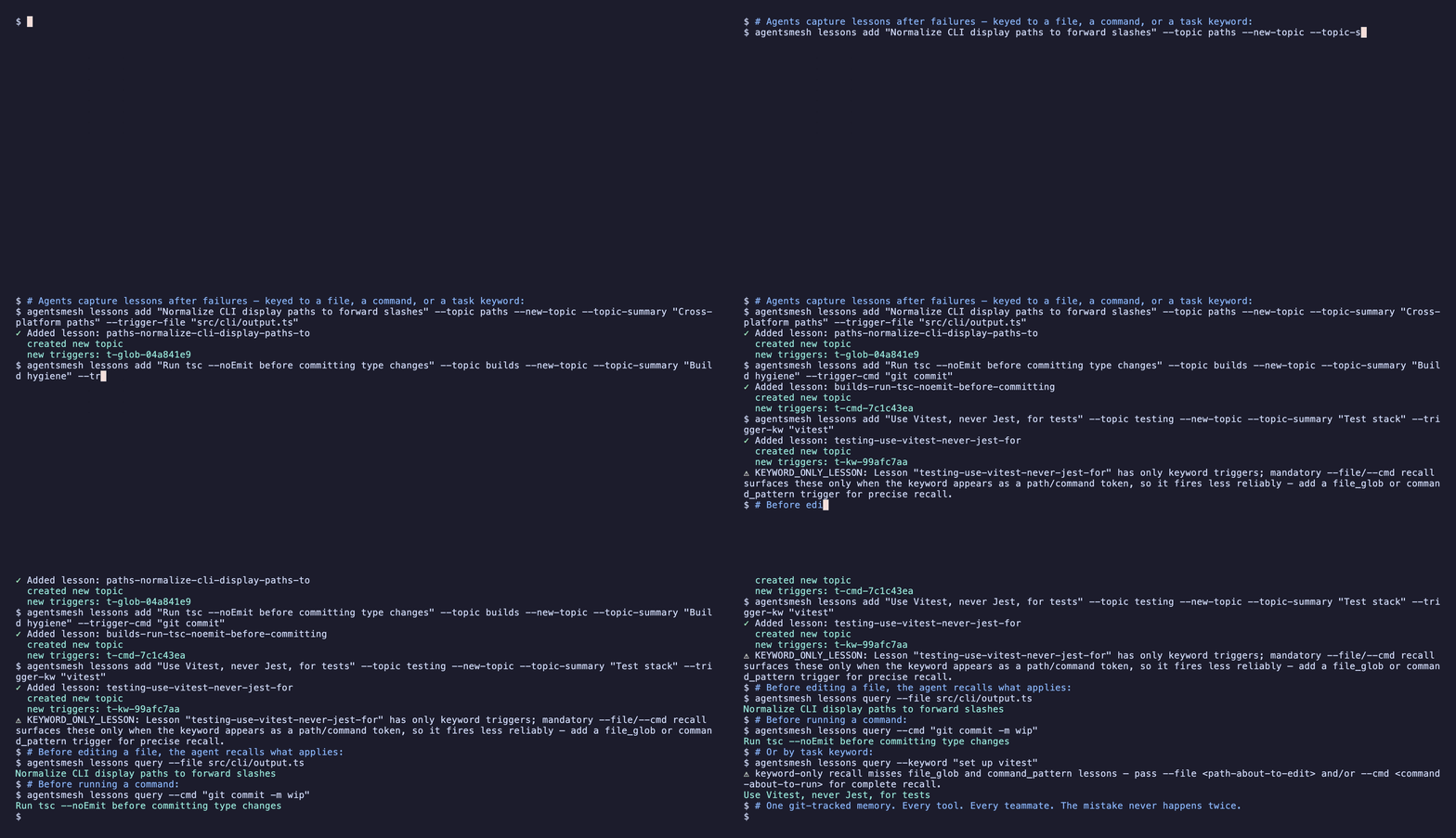
Terminal window agentsmesh lessons add "Normalize CLI display paths to forward slashes" \--topic windows-paths --trigger-file "src/cli/**/*.ts"
That’s the whole system. Recall reads the memory, capture writes it, and the loop repeats.
What’s inside one lesson
A lesson is a short rule — the thing to remember — plus one or more triggers that decide when it should resurface:
- File glob (e.g.
src/cli/**/*.ts) — fires when the agent is about to edit a matching file. The most reliable trigger; prefer it. - Command pattern (a regex) — fires when the agent is about to run a matching shell command.
- Keyword (a short task phrase) — fires when the task description mentions it.
A lesson that could never be recalled is rejected at capture time, and the error tells you why — so the memory never silently fills with unreachable rules.
Set it up once
-
Scaffold the subsystem
Terminal window agentsmesh init --lessonsThis creates the empty graph and a default
config.json, adds an always-on rule (“recall before edits, capture after failures”) to.agentsmesh/rules/_root.md, seeds the full operating manual as alessonsskill, and wires an auto-recall hook where the tool supports hooks. -
Project it into every tool
Terminal window agentsmesh generateRules are native in every supported tool, so every agent gets the recall/capture habit. Tools with skills also get the full manual on demand; agents without shell access use the matching MCP tools (
lessons_query/lessons_add).
A 30-second example
# 1. One-time setupagentsmesh init --lessons && agentsmesh generate
# 2. You hit a bug: a Windows path broke because of a backslash.#    Capture the lesson so it never bites again:agentsmesh lessons add "Normalize CLI display paths to forward slashes" \  --topic windows-paths \  --new-topic --topic-summary "Cross-platform path handling" \  --trigger-file "src/cli/**/*.ts"
# 3. Later, before editing a CLI file, the agent recalls it automatically:agentsmesh lessons query --file src/cli/foo.ts#   -> Normalize CLI display paths to forward slashes
Shared with your team, reviewed like code
The graph is a normal git-tracked file. A lesson your agent learns today helps every teammate’s agent tomorrow, every change shows up in pull requests like any other diff, and anything can be reverted with git.
Every agent shares that one graph. A rule captured by one tool — Cursor, Aider, Claude Code, or any other — is recalled by all of them, because recall reaches each agent either through an automatic hook (on tools that support hooks) or the always-on lessons paragraph in its instructions, and any agent can query or capture through the CLI or the lessons_query / lessons_add MCP tools. One memory, every assistant.
Keep the memory healthy
Recall stays lean by default: results are relevance-ranked, capped at the top 10, and bounded by a ~400-token budget. Tune per project in .agentsmesh/lessons/config.json (written by init --lessons with defaults { "recallLimit": 10, "recallMaxTokens": 400, "autoPrune": false }).
As the codebase moves, triggers can rot — a renamed directory turns a good lesson unreachable. Three commands keep the graph tidy:
agentsmesh lessons validate # schema + integrity + dead-trigger checksagentsmesh lessons prune # curation report (dry-run); --apply writesagentsmesh lessons stats # recall/capture telemetry (opt-in)Where to go next
agentsmesh lessonsCLI reference — every subcommand and flag, includingmerge,untrigger,deprecate, and the legacyimport-mdmigrator.- Lessons graph reference — the schema, recall ranking, validation codes, and the programmatic API.